User Guide Lines
At start up
When starting up the API, you will see the following screen :
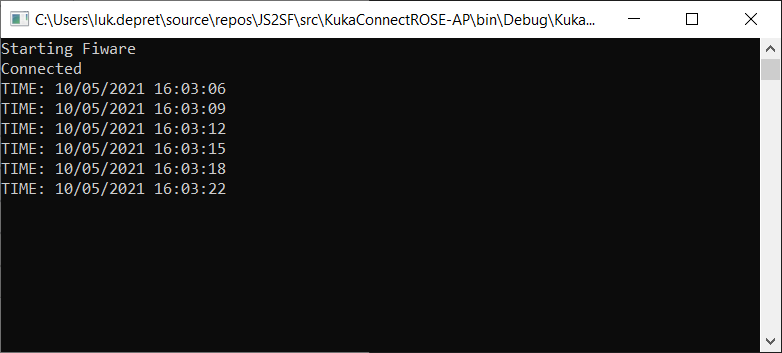
If you see "Starting Fiware" and "Connected" followed by timepstamps, the connections are ok and the transfer of data is going on.
The connection between robot and the API is a peer to peer connection. So for every new robot you want to use this api for , a new instance of the api has to be started using its own settings and ip address.
At start up the API compares the actual List with inputs and outputs in the robot configuration with the ones available on the OCB (taking into account the right serial number of the robot). Also for the other data the actual presence of the data is checked. If necessary it updates the records in the OCB with the ones coming from the connected robot.
Transferred data
The robot is continuously updating their states to the context broker. Main data which is transferred are :
- Serial number of the robot. This field is used to identify the data belonging to this robot on the OCB. If several robots are connected to the same OCB we need the serial number of the robot to distinguish between different robots. Otherwise data will be mixed by the the different systems and results will be corrupted.
- Status of the robot (active, stopped ....)
- Errornr + errormessages
- Actual Axis values (A1-A6)
- Actual Axis Torque values
- List of all inputs
- List of all outputs
We made a dashboard for the robot in Grafana :
On the top of the dashboard you can select which robot or cell you want to be displayed in the dashboard.
Grafana
The first time you connect to grafana dashboard you will have to specify a user and pasword. At this moment we use *user : admin and pasword :admin
You have to click once on the skip button before you see the grafana interface.
Search for the manage button on the right side and you will see a list of available dashboards.
Other connections
If the grafana dashboard is not sufficient the user can access all data available on the OCB using the following curl commands :